TL;DR
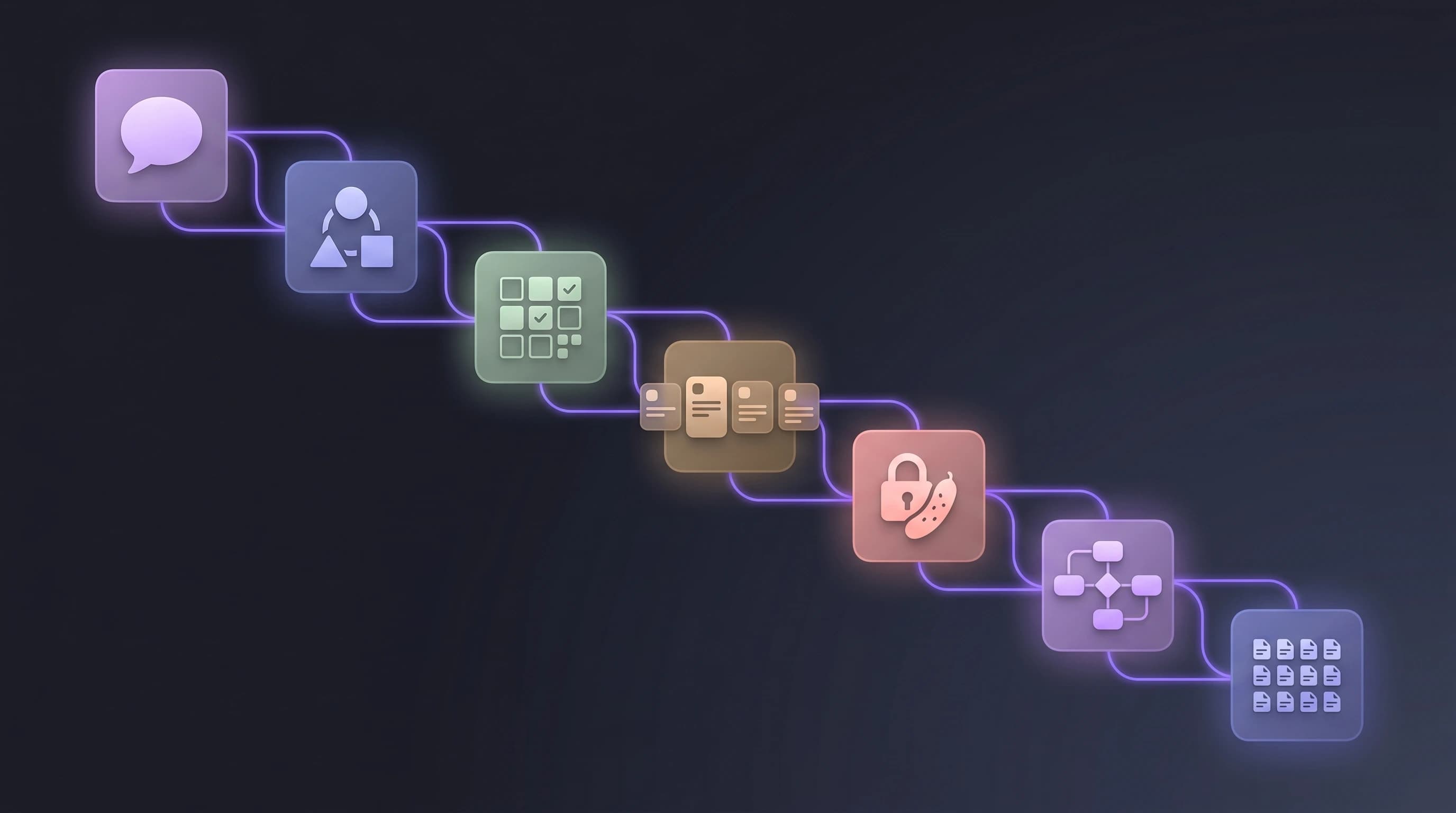
Generating an app specification from a prompt is now a repeatable pipeline, not a one-shot prompt. The stack: describe the product → extract personas → map features → decompose into INVEST-format user stories → attach Gherkin acceptance criteria → derive a relational schema → inventory pages and components. Each stage takes the previous stage's output as input, so the final spec is consistent rather than a collage of disconnected LLM calls. This guide walks through the full pipeline, gives you copy-paste prompt templates for each stage, and shows how VibeMap automates the whole thing in under 30 minutes. For the broader context, see our pillar guide on AI product planning.
Why the single-prompt approach fails
The first instinct most people have is to paste their entire product idea into ChatGPT and ask for "a complete app specification". The output is technically what you asked for — a wall of text with sections labelled Personas, Features, Stories, Schema. But when you try to use it, three structural problems appear:
- No linking. A persona named "Alex the Solopreneur" in the Personas section is gone by the time the stories section is generated; those stories reference a nameless "user". When a reader asks which stories serve Alex, there is no answer.
- Inconsistent granularity. The Features section has 4 high-level headings; the Stories section has 47 items; the Schema section has 3 tables. There is no way to know which story maps to which feature or which schema field.
- Drift. Ask the same model the same question tomorrow and you'll get a different Personas section. Nothing is persistent.
The fix is to run the pipeline in stages, with each stage's output serialized and passed as explicit context to the next. That's what VibeMap does under the hood. You can do it manually with a general LLM — the rest of this guide shows you how.
The seven-stage pipeline
| Stage | Input | Output | Target LLM (for cost) |
|---|---|---|---|
| 1. Summary | Freeform product description | 200–400 word project summary | Fast model (Gemini Flash / GPT-4o mini) |
| 2. Personas | Summary | 3 personas with goals + pains + quote | Fast model |
| 3. Features | Summary + personas | MoSCoW-prioritized feature list | Fast model |
| 4. User stories | Features + personas | INVEST-format stories | Reasoning model (Claude Opus / GPT-5) |
| 5. Acceptance criteria | User stories | Gherkin Given/When/Then per story | Reasoning model |
| 6. Database schema | Features + stories | Relational ERD + SQL DDL | Reasoning model |
| 7. Pages + components | Stories + schema | Page inventory with shared components | Fast model |
Total LLM spend for a medium-complexity product (10 features, 25 stories, 12-table schema): ~$0.50–$2.00 if you route fast vs reasoning correctly.
Stage 1 — Generate the summary
Start with a natural description. Be specific about the user, the problem, and the core outcome. Vague prompts produce vague specs.
Bad prompt:
Build me an app that helps freelancers.
Good prompt:
Build a web app that helps freelance designers track and visualize client feedback across multiple projects. Core pain: clients leave feedback scattered across email, Slack, and Figma comments; designers lose hours reconciling it. Target: freelancers billing $50–200/hr who handle 3–10 active projects. Must work without client signup.
Prompt template:
Given this product description: <PASTE IDEA HERE>

Write a 300-word project summary that covers:
- The specific target user (role, context, tools they currently use)
- The concrete pain point being solved (with one realistic example scenario)
- The core outcome the product delivers
- Non-goals: things we explicitly will NOT build
- Initial constraints: tech stack preferences, compliance needs, rough scale

Output as plain prose. No headings. No bullet points.
Why plain prose: dense paragraph form preserves better through the downstream stages than a bullet list. Bullet lists tempt the model to drop context.
Stage 2 — Extract personas
Feed the summary into a persona prompt. Demand specifics — demographics, daily context, and one representative quote.
Prompt template:
Here is a product summary:

<PASTE STAGE 1 OUTPUT>

Generate 3 distinct user personas for this product. For each persona:
- Name (realistic, not "User A")
- Role + company size + years of experience
- Daily tools they use
- Top 3 goals related to this product
- Top 3 pains this product would solve
- One representative quote they might say
- A 1-line "why they matter" tagline

Output as JSON. Schema:
{
  "personas": [{
    "name": string, "role": string, "companySize": string,
    "experience": string, "tools": string[], "goals": string[],
    "pains": string[], "quote": string, "whyTheyMatter": string
  }]
}
Demanding JSON is intentional. It forces the model to return structured data that downstream stages can reference by name. "Alex the Solopreneur" now has a stable identifier that every subsequent stage can link back to.
Stage 3 — Feature list with MoSCoW priority
Features are the bridge between personas and stories. Each feature should be scoped to roughly 3–5 user stories' worth of work.
Prompt template:
Product summary:
<PASTE STAGE 1>

Personas:
<PASTE STAGE 2 JSON>

Generate a feature list that serves these personas.
For each feature:
- Name
- 1-sentence description
- Which personas it primarily serves (names)
- MoSCoW priority (Must / Should / Could / Wont)
- T-shirt size estimate (S / M / L / XL)
- Dependencies on other features (if any)

Rules:
- Aim for 8-15 features total
- Every "Must" feature must be required for a minimum lovable product
- No feature should overlap with another

Output as JSON array.
MoSCoW (Must / Should / Could / Won't) is the industry-standard prioritization framework and gives you explicit cutoffs for scope control.
Stage 4 — User stories (INVEST)
Here's where most ChatGPT outputs fall apart. Demand the INVEST framework and tie each story to a named persona and feature.
Prompt template:
Here are features:
<PASTE STAGE 3 JSON>

And personas:
<PASTE STAGE 2 JSON>

For each Must or Should feature, generate 3-5 user stories that follow INVEST:
- Independent (can be built alone)
- Negotiable (details can flex)
- Valuable (delivers user value, not just a tech task)
- Estimable (clear enough to size)
- Small (fits in a single sprint)
- Testable (has verifiable outcome)

Use the format: "As a <persona name>, I want <action>, so that <outcome>."

For each story also specify:
- Which persona (must be a named persona from above)
- Which feature (must be a named feature from above)
- T-shirt size (S / M / L)
- Engineering scope tag: frontend / backend / fullstack

Output as JSON array.
Named persona references are load-bearing: downstream tools (QA, Linear imports, AI coding tools) use them to filter work.
Stage 5 — Acceptance criteria (Gherkin)
Attach 3–5 acceptance criteria to every story, in Given/When/Then format, categorized as happy path, edge case, or failure state.
Prompt template:
For each user story below, generate 3-5 acceptance criteria in Gherkin format:

<PASTE STAGE 4 JSON>

Rules:
- Format: Given <preconditions> When <action> Then <result>
- Every story must have AT LEAST one happy path, one edge case, and one failure state
- Tag each criterion: happyPath / edgeCase / failureState
- Failure states must cover: unauthenticated access, invalid input, server error, rate limit
- Edge cases must cover: empty state, max limits, concurrent actions

Output as JSON array, keyed by story name.
The happy path / edge case / failure state taxonomy is what separates usable QA criteria from decorative ones. It also forces the model to think about negative paths, which it otherwise skips.
Stage 6 — Database schema
Derive the schema from features and stories. Ask for a relational model with explicit types, nullability, and indexes.
Prompt template:
Given these user stories and features:
<PASTE STAGE 3 + STAGE 4>

Generate a relational database schema:
- Tables with columns
- Column types (use Postgres types)
- Nullability
- Primary keys + foreign keys
- Recommended indexes (for any column used in WHERE, JOIN, or ORDER BY by a story)
- One-to-many / many-to-many relationships
- Any ENUMs needed for status fields

Output as:
1. A Mermaid erDiagram block (for visualization)
2. A complete SQL DDL block (executable against Postgres)
Asking for both formats is cheap — the LLM already has both in training data — and gives you a diagram to review plus working DDL to seed a database.
Stage 7 — Pages and components
Final stage: the UI inventory. Reference stories (so every page is justified) and schema (so every page has required data).
Prompt template:
Based on these stories and schema:
<PASTE STAGE 4 + STAGE 6>

Generate a page and component inventory:

Pages:
- Route (e.g. /dashboard, /projects/:id)
- Purpose (1 sentence)
- Linked stories (story names from above)
- Linked schema tables
- Required components

Shared components (used by 2+ pages):
- Name
- Purpose
- Which pages use it
- Props it needs

Output as JSON.
Shared components matter. Without explicit identification, the AI code generator (Cursor, Bolt, v0) will generate a new <Button> component seven times for seven pages. Flagging shared components in the spec saves hours of refactoring later.
The manual pipeline vs an automated one
Running all seven stages by hand in ChatGPT takes roughly 90–120 minutes for a medium-complexity product. You'll do it perfectly the first time, half-well the second, then start skipping stages by the fifth project.
The alternative is a tool that serializes every stage's output into persistent state and re-uses it automatically. VibeMap does exactly this — same seven stages, but with state persistence, artifact linking, change propagation when you edit a persona, and direct export to Linear, Cursor, and the MCP protocol.
If you just want to try one stage without commitment, our free User Story Generator handles Stage 4 in isolation — paste a feature, get INVEST stories in 10 seconds, no signup.
Common pitfalls
- Skipping Stage 1 because the summary "seems obvious". This is the stage that carries the most context forward; skimping here compounds errors downstream.
- Using one model for everything. Stages 1, 2, 3, 7 do not need a reasoning model. Using Claude Opus or GPT-5 for persona generation wastes $3–5 per run. Route to Gemini Flash or GPT-4o mini for the scaffolding stages; save the reasoning models for stories, acceptance criteria, and schema.
- Not demanding JSON. Prose output tempts the model to hallucinate new personas mid-story. JSON forces structural discipline.
- Reviewing the spec as "good enough" and going straight to code. Every spec has at least one missing non-functional requirement (auth, rate limits, data retention). Do a compliance pass before you prompt a single line of code. Our AI acceptance criteria guide covers the checklist.
Related reading
- AI Product Planning: The Complete Guide — pillar guide covering the category end-to-end.
- How to Generate User Stories from a Prompt — deep dive on Stage 4.
- How Acceptance Criteria Prevents AI Output Chaos — deep dive on Stage 5.
- VibeMap vs ChatGPT for Product Planning — when a general LLM is enough vs when you need a pipeline.
Try the pipeline on a real idea
The fastest way to understand the difference between a prompt-generated PRD and a pipeline-generated spec is to run both on the same idea.
🎯 Generate a complete spec in under 30 minutes.
👉 Try VibeMap free → · Join the Product Hunt launch waitlist →
Sources & further reading
- Mike Cohn, User Stories Applied: For Agile Software Development — origin of the INVEST criteria.
- Cucumber, Gherkin Reference — Given/When/Then syntax.
- Dave Parker, MoSCoW Prioritization (Agile Business Consortium, 2024) — canonical MoSCoW definition.
- Stack Overflow, 2024 Developer Survey — AI Section — AI tool adoption data.