TL;DR
AI-generated code breaks in production for predictable, catalogueable reasons. Not because the LLM is bad at coding, but because the prompt was incomplete. This guide walks through the six most common failure modes we see in Cursor, Bolt, v0, and Copilot output, with real before/after code examples, and shows how each one disappears when the code is generated against a structured spec instead of a freeform prompt. For the category context, see our pillar guide on AI product planning.
The setup
A solo developer prompts Cursor: "Build me a project management app with teams, tasks, comments, and notifications." Cursor produces 20 files in 90 seconds. The app runs locally. It's a miracle.
Two weeks later:
- The team-invite flow silently drops invites from disabled accounts
- The task-edit page renders a different
<Button>than the task-create page (both AI-generated from the same prompt minutes apart) - The notification query kills the database on accounts with 10,000+ notifications (no index, no pagination)
- Rate limiting doesn't exist anywhere
- The admin page has no auth check because "admin" was never explicitly mentioned in the prompt
None of this is the LLM being "bad at code". Every failure traces to missing context in the prompt. Here's the catalogue.
Failure mode 1 — Component duplication
Symptom: The same UI element (button, form field, modal) has 3–5 different implementations across the codebase, each with different styling, different accessibility behaviour, and different props.
Why it happens: The LLM generates each page in isolation. When page A needs a button and page B needs a button, it generates a button twice. It does not know that "button" is a shared concept; it has no memory of what was generated for page A when it's generating page B.
Real example:
// Cursor output on page A (projects list)
<button className="bg-blue-600 text-white px-4 py-2 rounded" onClick={handleCreate}>
  Create project
</button>

// Cursor output on page B (task list), generated 2 minutes later
<button className="bg-indigo-500 text-white px-5 py-2 rounded-md hover:bg-indigo-600" onClick={handleAdd}>
  Add task
</button>

// Cursor output on page C (settings), generated later that day
<button type="button" className="rounded-lg bg-primary px-3.5 py-2.5 text-sm font-semibold text-white">
  Save
</button>
Three "buttons", three different stylings, three different default behaviours. No shared <Button> component ever generated.
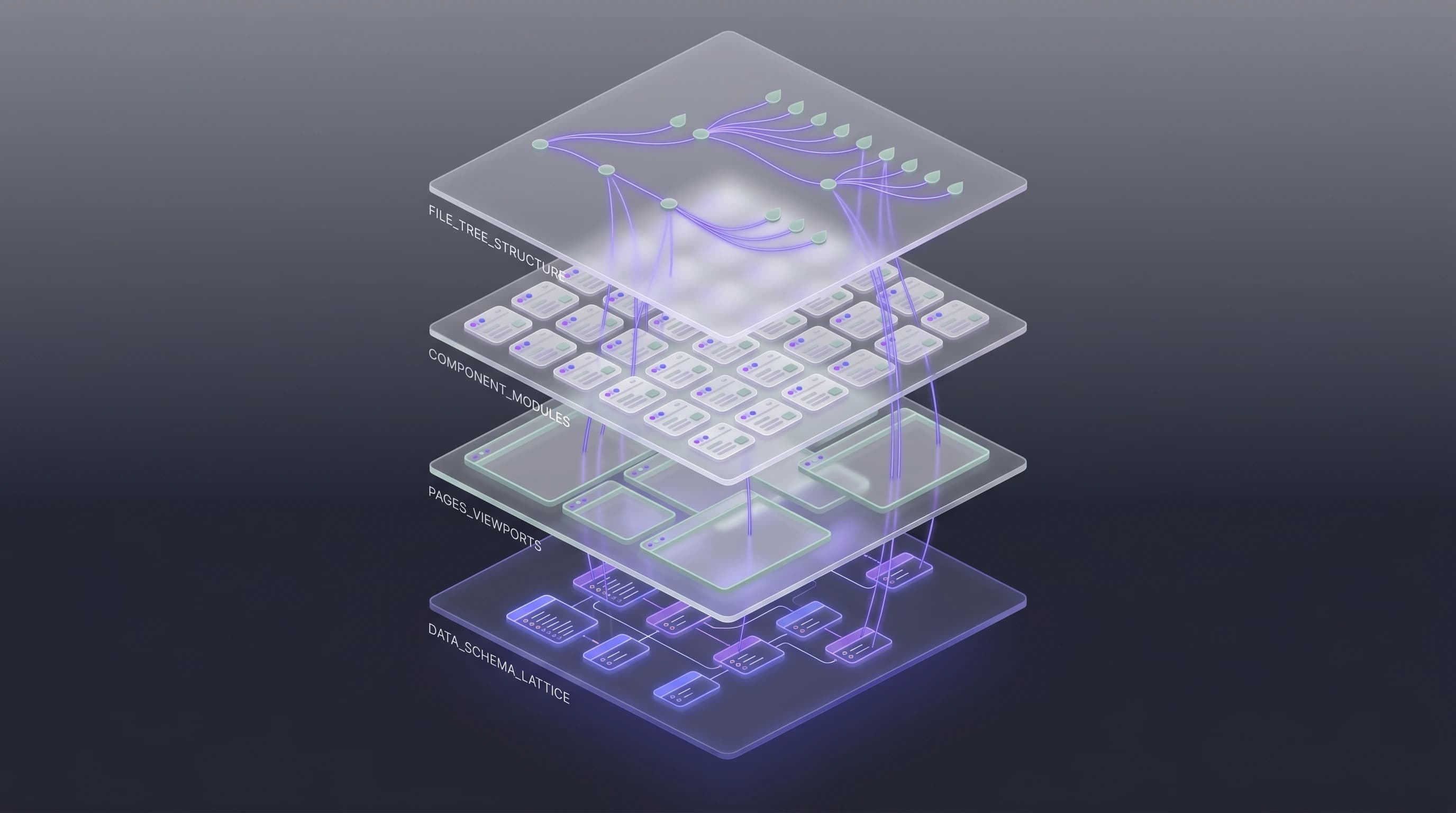
The fix (structural): Generate a page inventory first that explicitly identifies shared components before any code is written. VibeMap's architecture layer does this automatically — see AI-Generated App Architecture.
The fix (prompt-only, manual): In every code-generation prompt, include: "Shared components: Button, FormField, Modal, DataTable. Always import these from /components/ui/. Never inline an equivalent."
Failure mode 2 — Schema drift
Symptom: The database schema defines fields that the UI never reads, and the UI references fields that don't exist in the schema. Apps work in dev (where the mismatches don't manifest) and fail in prod.
Why it happens: Schema and UI are often generated in separate prompts. The LLM has no persistent awareness of what was decided upstream.
Real example:
-- Generated schema
CREATE TABLE projects (
  id uuid PRIMARY KEY,
  name text NOT NULL,
  owner_id uuid REFERENCES users(id),
  status text DEFAULT 'active',
  archived boolean DEFAULT false,
  created_at timestamptz DEFAULT now()
);
// Generated UI, later in the session
function ProjectCard({ project }: { project: Project }) {
  return (
    <div>
      <h3>{project.name}</h3>
      <p>Created: {project.createdAt}</p>
      <p>Team size: {project.teamSize}</p>  // ❌ never in schema
      <span>{project.priority}</span>        // ❌ never in schema
    </div>
  );
}
The UI uses teamSize and priority — fields the schema doesn't have. The TypeScript compiler catches this if your types are generated from the schema; it does not catch it if the AI generated loose types alongside the UI.
The fix (structural): Generate the schema FIRST, then pass it as context when generating UI. Every UI element should reference only fields the schema defines. VibeMap's pipeline enforces this ordering automatically — see How to Generate an App Spec from a Prompt.
The fix (prompt-only, manual): Always include the current schema DDL in every UI-generation prompt. Demand: "Only reference fields listed in the schema above. Flag any field you need but don't see."
Failure mode 3 — Missing failure paths
Symptom: The happy path works perfectly. Error states, empty states, and rate-limit scenarios are unhandled or handled inconsistently.
Why it happens: LLMs default to the positive case unless failure paths are explicitly demanded. Training data reinforces this — most tutorials skip error handling.
Real example:
// Generated: happy-path-only login
async function handleLogin(email: string, password: string) {
  const { session } = await supabase.auth.signInWithPassword({ email, password });
  router.push('/dashboard');
}
What's missing:
- Invalid credentials → no error shown to user
- Network failure → unhandled promise rejection crashes the app
- Rate limit hit → no user-facing message
- Unverified email → silently fails with no guidance
- Disabled account → silently fails
The fix (structural): Every user story gets Gherkin acceptance criteria that MUST include happy path + edge cases + failure states. Code generated against those criteria has to implement all three categories. See The Gherkin Playbook.
The fix (prompt-only, manual): For every prompt that generates user-facing code, append: "Handle each of: invalid input, network failure, rate limit, auth failure, unexpected server error. Each case shows the user a specific error message and logs the failure."
Failure mode 4 — Missing authentication and authorization
Symptom: Admin pages exist and are accessible to non-admins. API routes accept requests without verifying identity.
Why it happens: Auth isn't "interesting" code for an LLM; it's the boilerplate wrapped around the features the prompt actually focused on. Without an explicit demand, the checks just get skipped.
Real example:
// Generated /api/admin/users/route.ts
export async function DELETE(request: Request) {
  const { userId } = await request.json();
  await supabase.from('users').delete().eq('id', userId);
  return Response.json({ success: true });
}
Anyone with the URL can delete any user. No auth check. No role check. No audit log.
The fix (structural): Every page in the inventory must declare a requiredRole (public | authenticated | admin). Every API route is scoped to a user story whose persona has a specific role. Code generated against this inventory checks the role before executing.
The fix (prompt-only, manual): Include in every API route prompt: "Verify the session. Verify the user has permission to perform this action based on their role. Log the action to an audit trail table. Return 401 for missing session, 403 for insufficient role."
Failure mode 5 — Performance cliffs
Symptom: The app is fast in dev with 10 rows of test data. It's unusably slow in production with 10,000 rows.
Why it happens: AI-generated queries don't include indexes or pagination by default. The query works (returns correct rows); it just doesn't scale.
Real example:
// Generated dashboard query
export async function getRecentNotifications(userId: string) {
  return supabase
    .from('notifications')
    .select('*')
    .eq('user_id', userId)
    .order('created_at', { ascending: false });
}
Issues:
- No
.limit()— fetches every notification the user has ever received - No index on
(user_id, created_at DESC)— full table scan select('*')pulls unnecessary fields over the wire
The fix (structural): Schema generation must include an index on every column used in WHERE, JOIN, or ORDER BY in a user story. Query generation must include pagination defaults.
The fix (prompt-only, manual): Review every generated query against this checklist: pagination? indexed columns? selecting only fields actually used? response cached where appropriate?
Failure mode 6 — Inconsistent naming conventions
Symptom: The codebase mixes camelCase, snake_case, and kebab-case unpredictably. Some files are ProjectCard.tsx; others are project-card.tsx. The "projects" entity is sometimes project, sometimes projects, sometimes Project.
Why it happens: With no convention declared upfront, the LLM defaults to whatever pattern was in the most recently-seen training example, which varies from one prompt to the next.
Real example:
/pages/projects.tsx
/pages/Tasks.tsx          ← PascalCase file name
/pages/team-members.tsx   ← kebab-case file name
/components/UserAvatar.tsx
/components/project_card.tsx  ← snake_case file name
/lib/api/getProjects.ts
/lib/api/tasks_api.ts         ← mixed
Six different naming schemes in one project.
The fix (structural): The architecture stage generates a file tree first, with every file path explicit and conforming to a single convention (e.g. kebab-case for files, PascalCase for components). Subsequent code generation writes files into that tree.
The fix (prompt-only, manual): State the convention in every prompt: "Files: kebab-case. Components (exports): PascalCase. Variables: camelCase. DB columns: snake_case. Never deviate."
What planning actually changes
The common thread across all six failure modes: the LLM is not missing intelligence. It is missing shared context across its generations. Each prompt is a fresh conversation; without persistent structural context, the model cannot make decisions that hold together across 20 files.
Planning-first development reverses this. By generating the personas, features, stories, acceptance criteria, schema, and page inventory before writing code, you create a persistent, named, referenced context that every subsequent code-generation prompt can consume. The same LLM produces dramatically better code when it has this context.
This is the premise behind VibeMap: run the planning pipeline once, then use the output as context for your AI code generation — whether that's Cursor, Bolt, v0, Claude Code, or Copilot. The code generation itself doesn't need to change; the context it operates against does.
Related reading
- AI Product Planning: The Complete Guide — pillar explaining the planning-first approach.
- What Is Vibe Coding? — when unstructured AI coding is the right tool.
- AI-Generated App Architecture — deep-dive on fixing failure modes 1, 4, 5, 6.
- AI Acceptance Criteria: The Gherkin Playbook — deep-dive on fixing failure mode 3.
- VibeMap vs Bolt.new — how the planning layer composes with a code-generation layer.
Stop the failure modes before they ship
Run the planning pipeline once, feed the output into your AI coding tool, and watch the drift disappear.
👉 Try VibeMap free → · Join the Product Hunt launch waitlist →
Sources & further reading
- GitClear, Coding on Copilot: 2024 Data Suggests Downward Pressure on Code Quality — measured 41% increase in code churn and duplication on AI-generated codebases.
- Stack Overflow, 2024 Developer Survey — AI Section — AI adoption and trust data.
- Google, DORA 2024 State of DevOps Report — measured impact of AI on deployment frequency and change failure rate.
- Anthropic, Claude Code Best Practices — structured-context approach for code generation.